
About This Mod
A mod menu turns GTA San Andreas into a sandbox you fully control. Instead of memorising dozens of cheat codes, you get a clean in-game menu — open it with a hotkey and every option is a button press away.
It's the easiest way to mess around in single-player: spawn the vehicle you want, teleport across the map, hand yourself any weapon, or flip the world into chaos. Built on CLEO, it loads alongside the game with no permanent changes to your install.
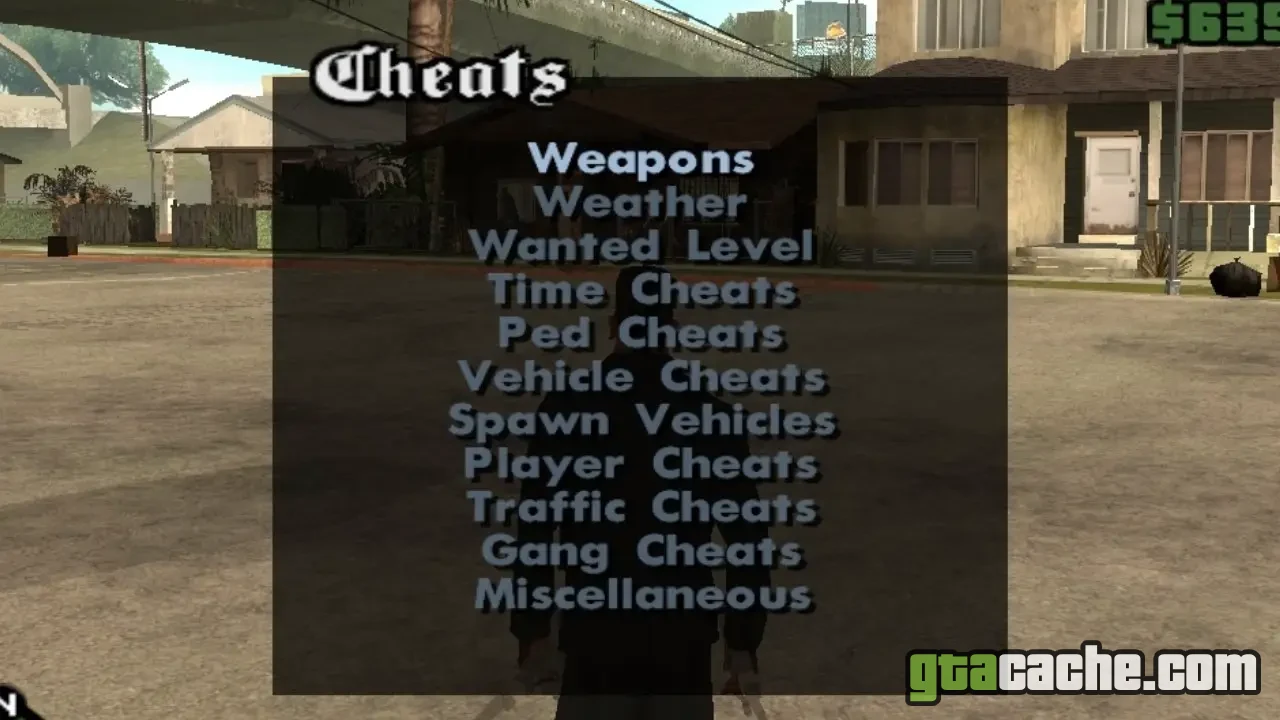
Feature Categories
- Spawn any vehicle, weapon or pickup on demand
- Teleport to map markers, interiors and saved spots
- Player options — health, armor, money, never wanted
- World controls — weather, time, traffic and pedestrians
- Vehicle tweaks — repair, flip, boost and god mode
- Stat editors — muscle, stamina, respect and skills
- Clean, searchable menu with rebindable hotkeys
What Each Tab Does
Everything is grouped into focused tabs so nothing feels buried.
- Player Health, armor, cash and wanted-level toggles for CJ.
- Vehicle Spawn, repair, upgrade and god-mode any ride.
- World Weather, clock, traffic density and pedestrian behaviour.
- Teleport Jump to any district, safehouse or mission marker instantly.
Heads up: use a mod menu in single-player. Loading one into SA-MP or MTA servers will get you kicked or banned — those communities run their own rules.
Requirements
- GTA San Andreas for PC — the original 1.0 EXE works best
- CLEO — the scripting library most menus are built on
- An ASI Loader if the menu ships as an .asi file
- Roughly 5 MB of free disk space
How to Install
- Install CLEO into your GTA San Andreas folder if you haven't already.
- Download the mod menu archive using the button above and unzip it.
- Drop the menu's .cs / .cleo (or .asi) files into your CLEO folder.
- Launch the game and load a save or start a new game.
- Press the menu hotkey — often the tilde (~) key — to open it.
Ready to roll out?
Free download · 5.4 MB · Singleplayer