
What You'll Need
- Rockstar Social Club account
- GTA Online access
- Internet connection
Step-by-Step Walkthrough
Log into Rockstar Social Club
First, you need to log into your Rockstar Social Club account. If you don’t have one, you can create it for free. Make sure to verify your account via email to access all features, including Crew creation.
Pro tip: Ensure your account is linked to your GTA Online profile for seamless integration.
Navigate to the Crews Section
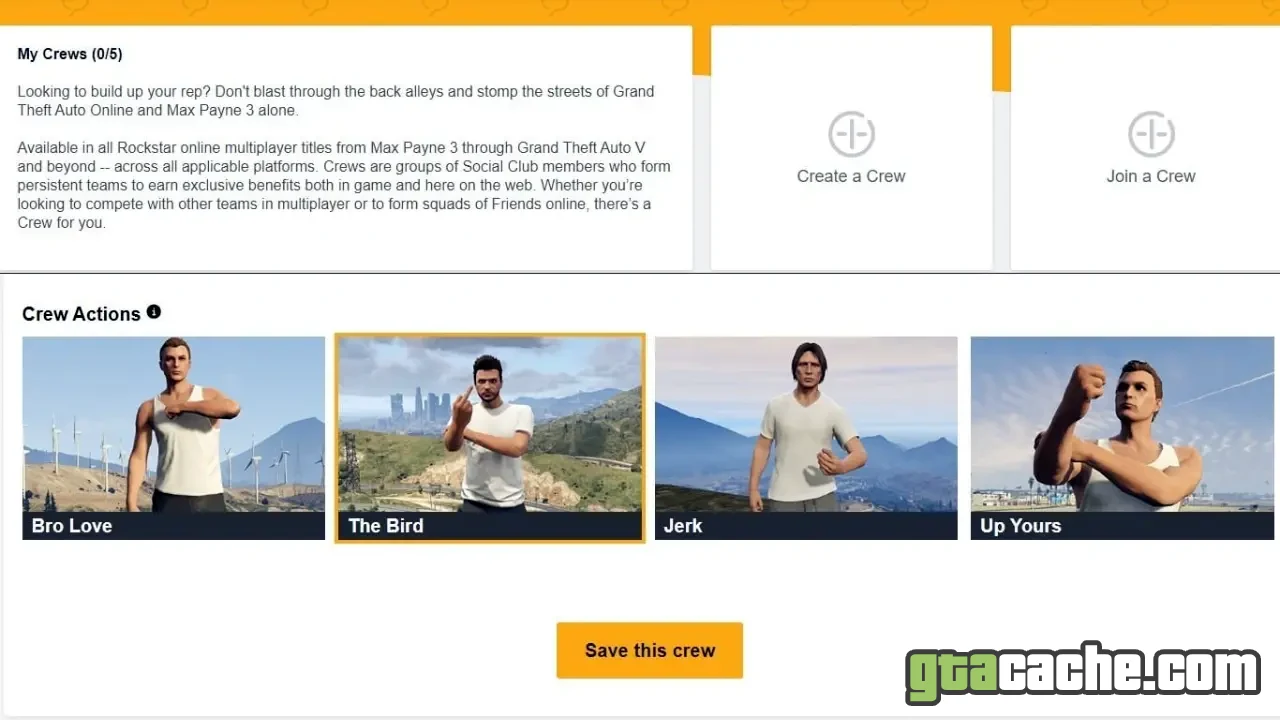
Once logged in, head to the 'Crews' section from the main menu. Here, you will see options to either view existing Crews or create a new one. Click on 'Create a Crew' to begin the process.
Pro tip: Familiarize yourself with existing Crews to see what works and what doesn’t.
Fill in Crew Details
You will be prompted to enter your Crew's name, tag, and description. Choose a unique name and tag that reflects your Crew’s identity. You can also select a Crew emblem, which can be customized later.
Pro tip: Keep the Crew name and tag short and easy to remember.
Set Crew Type and Privacy
Decide whether your Crew will be open, invite-only, or closed. An open Crew allows anyone to join, while invite-only requires approval. Closed Crews are by invitation only.
Pro tip: Consider starting with an open Crew to attract more members quickly.
Invite Members
Once your Crew is created, you can invite friends or other players. Use the 'Invite' feature to send requests to players you wish to join. You can also promote members to higher ranks within the Crew.
Pro tip: Engage with your Crew members regularly to build a strong community.
Customize Crew Emblem and Settings
After creating your Crew, you can customize the emblem and other settings from the Crew dashboard. Make sure to create a unique emblem that represents your Crew’s style.
Pro tip: Use the emblem editor to create something memorable and distinct.
Tips & Tricks
- Regularly communicate with your Crew members for better coordination.
- Host events or missions to strengthen team bonds.
- Keep your Crew active by recruiting new members occasionally.
- Utilize social media to promote your Crew and attract new players.
What Makes a Good Crew?
A good Crew is not just about numbers; it's about teamwork and communication. Members should share similar goals, whether it’s completing missions, racing, or simply having fun. A strong Crew culture encourages participation and builds loyalty among members.
Common Crew Mistakes
One of the biggest mistakes is neglecting member engagement. A Crew that doesn’t communicate or participate in activities will lose its members. Additionally, having a poorly defined purpose can lead to confusion among members about what they should be doing.