
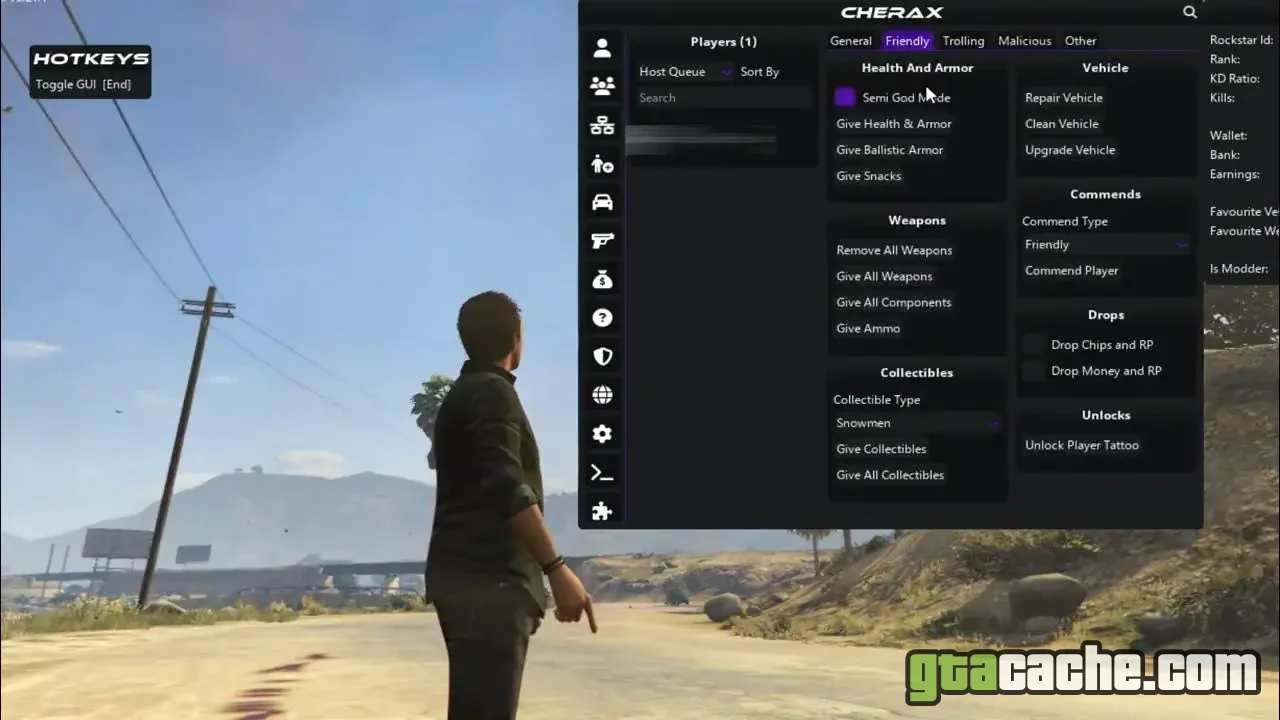
Feature Categories
- Recovery — rank, cash and unlock tools
- Protections — defensive options against griefers
- Self — god mode, invisibility, fast run and more
- Vehicle — spawn, repair, customise and control
- Weapons — loadouts, ammo and combat tweaks
- Teleports — instant travel to any blip or waypoint
- World & time — weather, traffic and population control
- Clean, searchable interface with custom themes
What Each Tab Does
Cherax groups everything into focused tabs so nothing feels buried.
- Self Survivability and movement toggles for your character.
- Vehicle Spawn any vehicle, then repair, upgrade or godmode it.
- Online Session tools, player options and lobby management.
- Settings Themes, hotkeys and per-feature configuration.
Heads up: mod menus are for entertainment in private or solo sessions. Using one in public GTA Online lobbies risks a ban and ruins the game for others — play responsibly.
Requirements
- GTA V for PC — Steam, Rockstar or Epic
- A clean install with no conflicting menus running
- Visual C++ Redistributable (latest)
- Around 60 MB free disk space
How to Install
- Fully close GTA 5 and the Rockstar Games Launcher.
- Download the Cherax package using the button above and extract it.
- Run the Cherax loader as administrator.
- Launch GTA 5 and wait on the story/online selection screen.
- Press F5 in-game to open the menu once it has injected.
Ready to roll out?
Free download · 12.3 MB · Both