
About This Mod
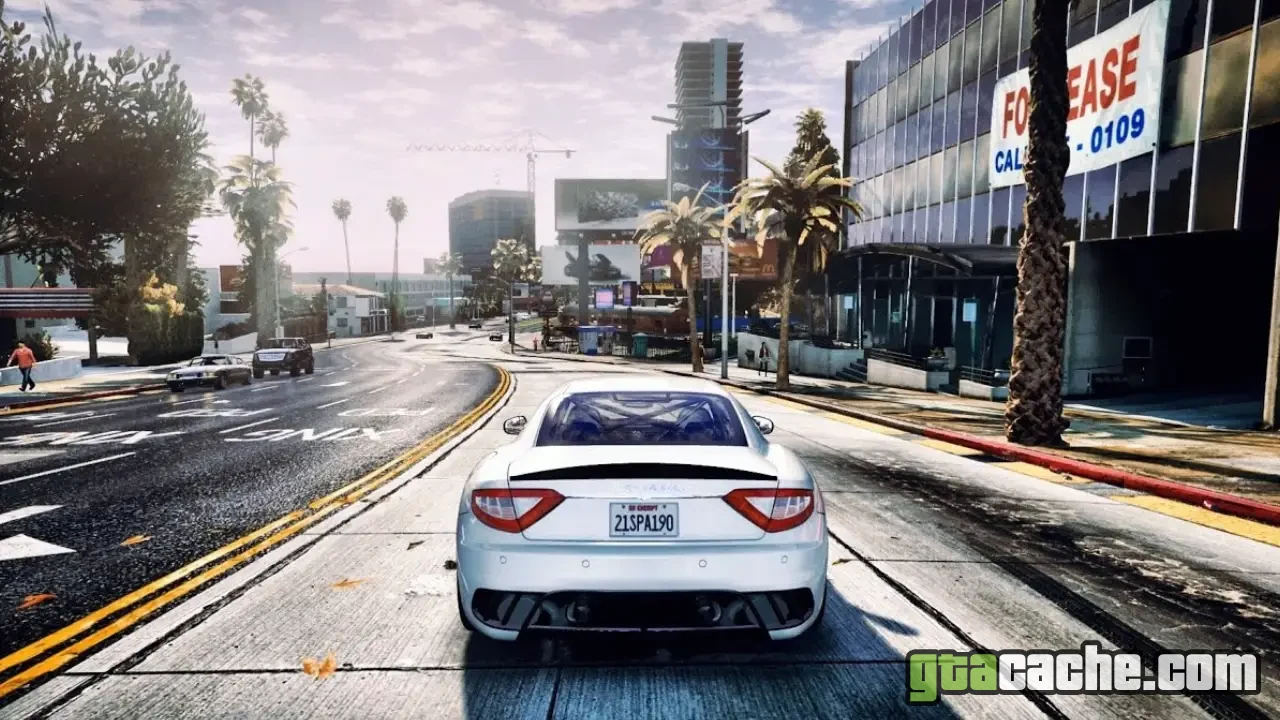
The Redux Graphics Mod breathes new life into Grand Theft Auto V, elevating its already impressive visuals to astonishing new heights. With enhanced textures, improved lighting, and realistic weather effects, this mod redefines the visual experience of Los Santos.
Dive into a world where every corner is infused with detail, from the vibrant cityscape to the serene countryside. The Redux mod not only improves the game's aesthetics but also enhances the overall immersion, making your adventures in GTA 5 more captivating than ever.
Features
- Overhauled textures for a more realistic look
- Enhanced lighting effects for day and night cycles
- Dynamic weather with improved atmospheric effects
- Revamped water physics and reflections
- Increased vegetation density and detail
- Customizable settings for performance optimization
- Compatibility with other mods for broader enhancements
Graphics Variants
Choose from different graphics settings to suit your style and hardware capabilities.
- Ultra Settings For the best visuals, featuring maximum detail and realism.
- High Settings Balanced visuals that don't compromise performance.
- Medium Settings Good quality graphics with optimized performance for older systems.
- Low Settings Basic graphics to ensure smooth gameplay on low-end PCs.
Ensure your PC meets the recommended specifications for the best experience with Redux Graphics Mod.
Requirements
- GTA V (Steam, Epic Games, or Rockstar Launcher)
- Script Hook V
- OpenIV
- Visual C++ Redistributable
How to Install
- Download the Redux Graphics Mod from the official source.
- Extract the downloaded files using a program like WinRAR or 7-Zip.
- Copy the contents to your GTA V main directory.
- Launch OpenIV and enable edit mode.
- Replace the necessary files as instructed in the mod's readme.
- Start the game and enjoy the stunning new visuals!
Ready to roll out?
Free download · 116.1 MB · Singleplayer