
About This Mod
Widescreen Fix is an essential tool for GTA Vice City players looking to enhance their gaming experience on modern displays. This utility allows the game to run in widescreen resolutions, eliminating the outdated 4:3 aspect ratio that can distort visuals and gameplay.
This fix not only stretches the visual fidelity but also ensures that the HUD elements are properly adjusted, giving you a seamless and immersive experience in the vibrant streets of Vice City. Modders rely on this tool to maintain the game's aesthetics while enjoying the extra screen real estate that widescreen provides.
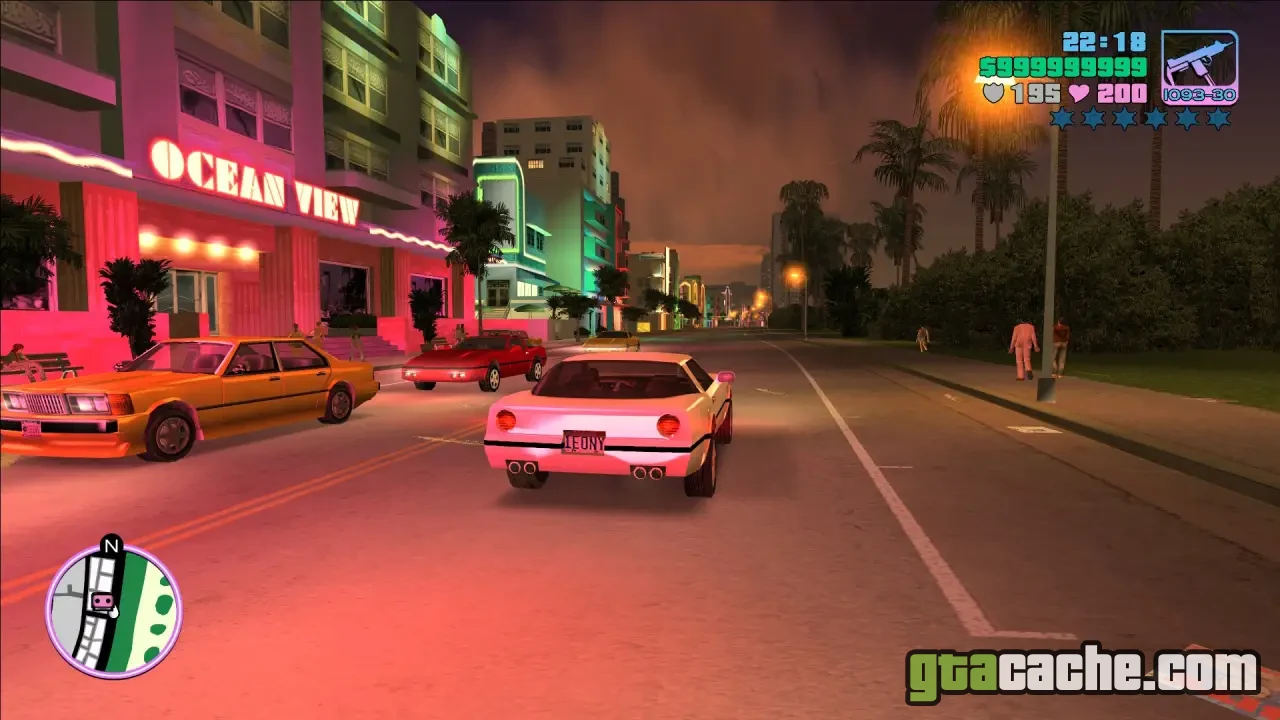
Features
- Run GTA Vice City in true widescreen resolutions.
- Properly adjusted HUD elements for widescreen displays.
- Increased field of view for a more immersive experience.
- Supports various screen resolutions for flexibility.
- Compatible with most modern graphics settings.
- Easy to install and use without complex configurations.
Widescreen Fix Options
Choose the resolution and settings that suit you best.
- Resolution Options Select from various widescreen resolutions to match your display.
- HUD Adjustments Automatically aligns HUD elements for widescreen play.
- Graphics Settings Adjust graphics settings for optimal performance.
Make sure to back up your game files before installing any mods, including Widescreen Fix!
Requirements
- GTA Vice City installed on your PC.
- Latest version of SilentPatch for compatibility.
- Basic knowledge of using modding tools.
- IMG archives access for installation adjustments.
How to Install
- Download the Widescreen Fix from the trusted source.
- Extract the contents of the archive to your GTA Vice City installation folder.
- Run the Widescreen Fix application to configure your desired resolution.
- Launch GTA Vice City and enjoy the game in widescreen!
- For best results, ensure other mods like SilentPatch are also updated.
Ready to roll out?
Free download · 37.7 MB · Singleplayer